Aider alternatives
6 products compared · Updated November 2, 2026
The short answer
For a maintained terminal-based AI pair programmer with Git integration and multi-LLM support, Aider remains the strongest choice. If you prefer an IDE-native agent with managed plans, Cursor is the best fit. For enterprise teams needing governance and testing of AI-generated code, Tabnine (now part of Tricentis) is the strongest alternative.
Your shortlist, at a glance
Read the comparisons ↓ CursorFrom $8/moTeams that want an IDE-native AI coding agent with managed plans, cloud agents, and enterprise controls.
 GitHub ProjectsFrom $0 (Free plan)Teams already using GitHub for code hosting that want project management and AI-powered planning in the same place as their repos.
 CodeiumFree, $20/mo, $200/moTeams that want to manage multiple AI agents from one command center, especially enterprises needing SSO, VPC deployment, and collaboration features.
- WWindsurfFree, $20/mo, $200/moTeams that run multiple AI agents and need a unified desktop interface to manage, coordinate, and review their work.
- CContinueNot publishedDevelopers who previously used Continue and are now looking for a maintained alternative with terminal-based pair programming.
 TabnineNot publishedLarge enterprises that need to test and govern AI-generated code across the SDLC with human-in-the-loop approvals.
About Aider and its alternatives
Aider is an open-source AI pair programming tool that runs in your terminal. It maps your codebase, supports over 100 languages, integrates with Git for automatic commits, and works with cloud and local LLMs including Claude, DeepSeek, and OpenAI models.
When comparing alternatives, weigh pricing structure (free tiers, per-seat costs, enterprise contracts), regional availability, integrations with your existing tools (IDE, Git, project management), support options, and contract terms. Some tools are IDE-native, others are terminal-based, and some focus on enterprise governance. Choose based on your team's workflow and whether you need managed plans or self-configuration.
Explore the alternatives
- From $8/mo
1.Cursor
Best for: Teams that want an IDE-native AI coding agent with managed plans, cloud agents, and enterprise controls.
- Pricing
- From $8/mo
- Category
- AI & Machine Learning
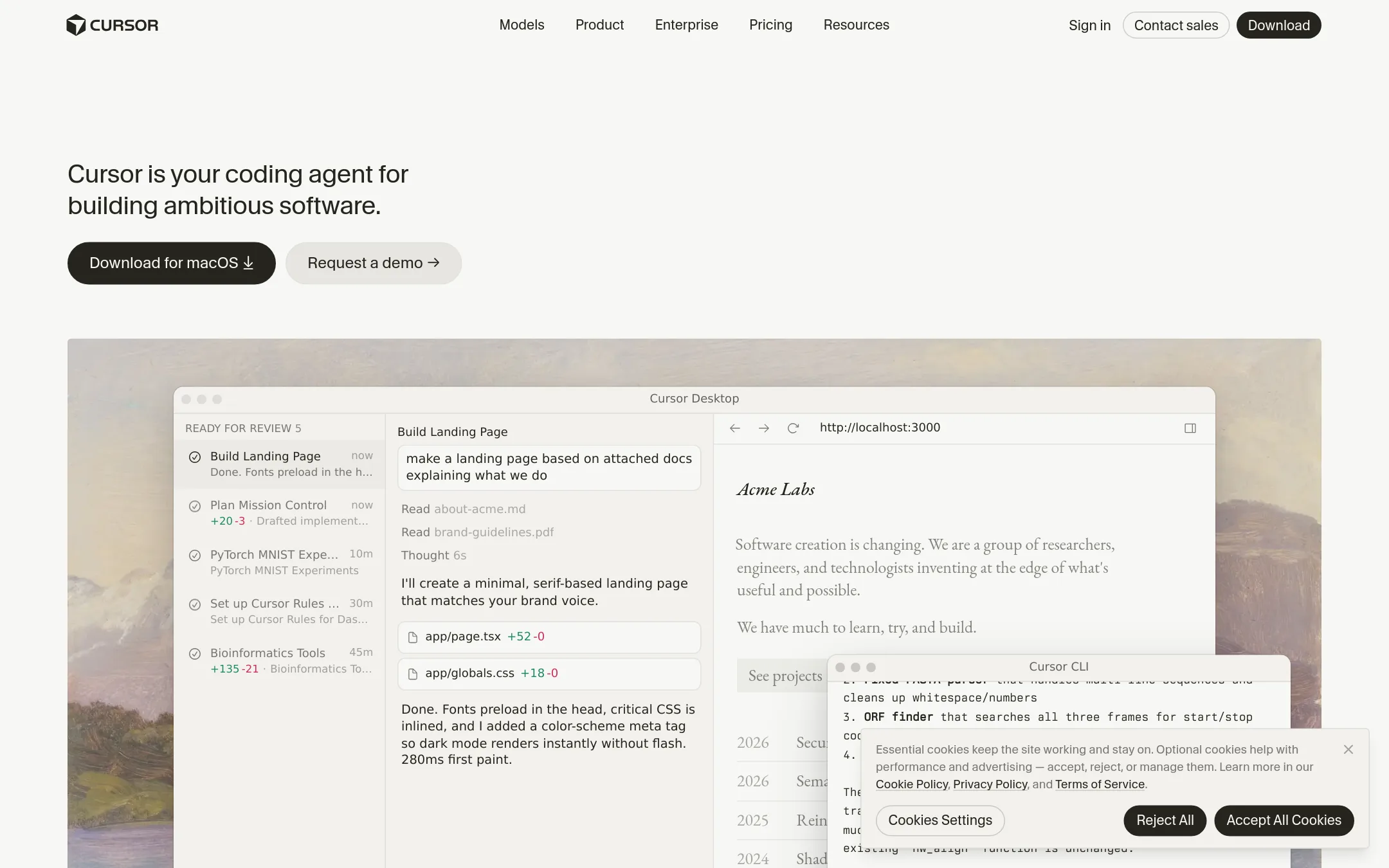
Cursor is a full coding agent that lives inside an IDE, with autonomous agents, cloud agents, and AI code reviews. Choose it over Aider if you want a visual editor with managed plans and built-in team features rather than a terminal-based tool you configure yourself. It also bundles Grok models and lets you bring third-party models billed separately.
Where it is strong
- Autonomous agents and cloud agents run tasks in parallel
- Works across many models, including Grok and third-party APIs
- Enterprise plans include SSO, audit logs, and pooled usage
Where it falls short
- Third-party model usage costs extra beyond the monthly plan
- Free tier has limited agent and chat requests
- Pricing:
- Free at $0/month, Plus at $8/month, Premium at $30/month, Super at $100/month, Ultra at $200/month, Teams at $30+/user/month, Enterprise custom. Third-party model usage is billed separately.
- From $0 (Free plan)
2.GitHub Projects
Best for: Teams already using GitHub for code hosting that want project management and AI-powered planning in the same place as their repos.

- Pricing
- From $0 (Free plan)
- Category
- Productivity & Project Management
GitHub Projects is a planning and tracking tool built into GitHub, not a terminal-based coding assistant like Aider. Choose it when your team already lives in GitHub and needs issue tracking, project boards, and AI-assisted planning next to the code, rather than an AI pair programmer that edits files directly.
Where it is strong
- Tight integration with GitHub repos, issues, and pull requests.
- AI-powered project planning and tracking features.
- Free tier includes unlimited public/private repositories and basic project tools.
Where it falls short
- Not a coding assistant. Does not edit code or provide pair programming.
- Requires a GitHub account and may be limited to GitHub's ecosystem.
- Pricing:
- Pricing is not published on the site for Projects specifically. GitHub plans start at $0 for Free, $4 per user/month for Team, and $21 per user/month for Enterprise.
- Free, $20/mo, $200/mo
3.Codeium
Best for: Teams that want to manage multiple AI agents from one command center, especially enterprises needing SSO, VPC deployment, and collaboration features.
- Pricing
- Free, $20/mo, $200/mo
- Category
- AI & Machine Learning
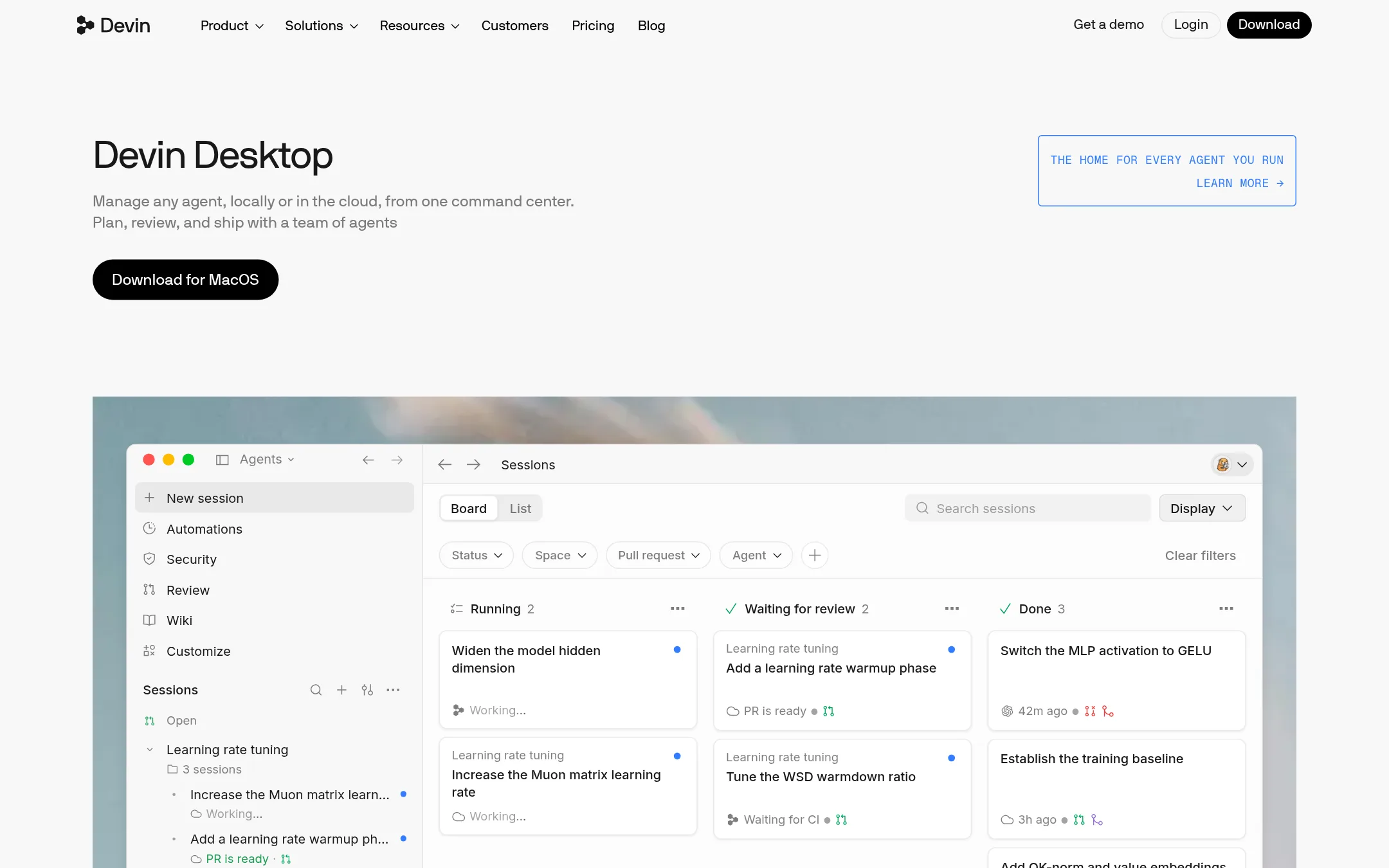
Devin Desktop is an AI-native IDE that manages autonomous agents locally or in the cloud, coordinating subagents and integrating with tools like Slack, Jira, and GitHub. Choose it over Aider if you want a full IDE with agent orchestration, cloud sessions, and enterprise features rather than a terminal-based pair programmer.
Where it is strong
- Manage any agent and model via Agent Client Protocol in one place
- Cloud agents keep your environment running when you switch devices
- Built-in Devin Review and Fast Context for quick codebase understanding
Where it falls short
- No Git integration mentioned, unlike Aider's automatic commits
- Pricing is higher than Aider's open-source model, and free tier has limited quotas
- Pricing:
- Free plan available. Pro at $20/month. Max at $200/month. Teams at $80/month plus $40/month per full user. Enterprise custom.
- Switching from Aider:
- Moving from Aider means adopting an IDE-centric workflow with agent orchestration, which may require learning new concepts like subagents and cloud sessions.
- WFree, $20/mo, $200/mo
4.Windsurf
Best for: Teams that run multiple AI agents and need a unified desktop interface to manage, coordinate, and review their work.
- Pricing
- Free, $20/mo, $200/mo
- Category
- Other
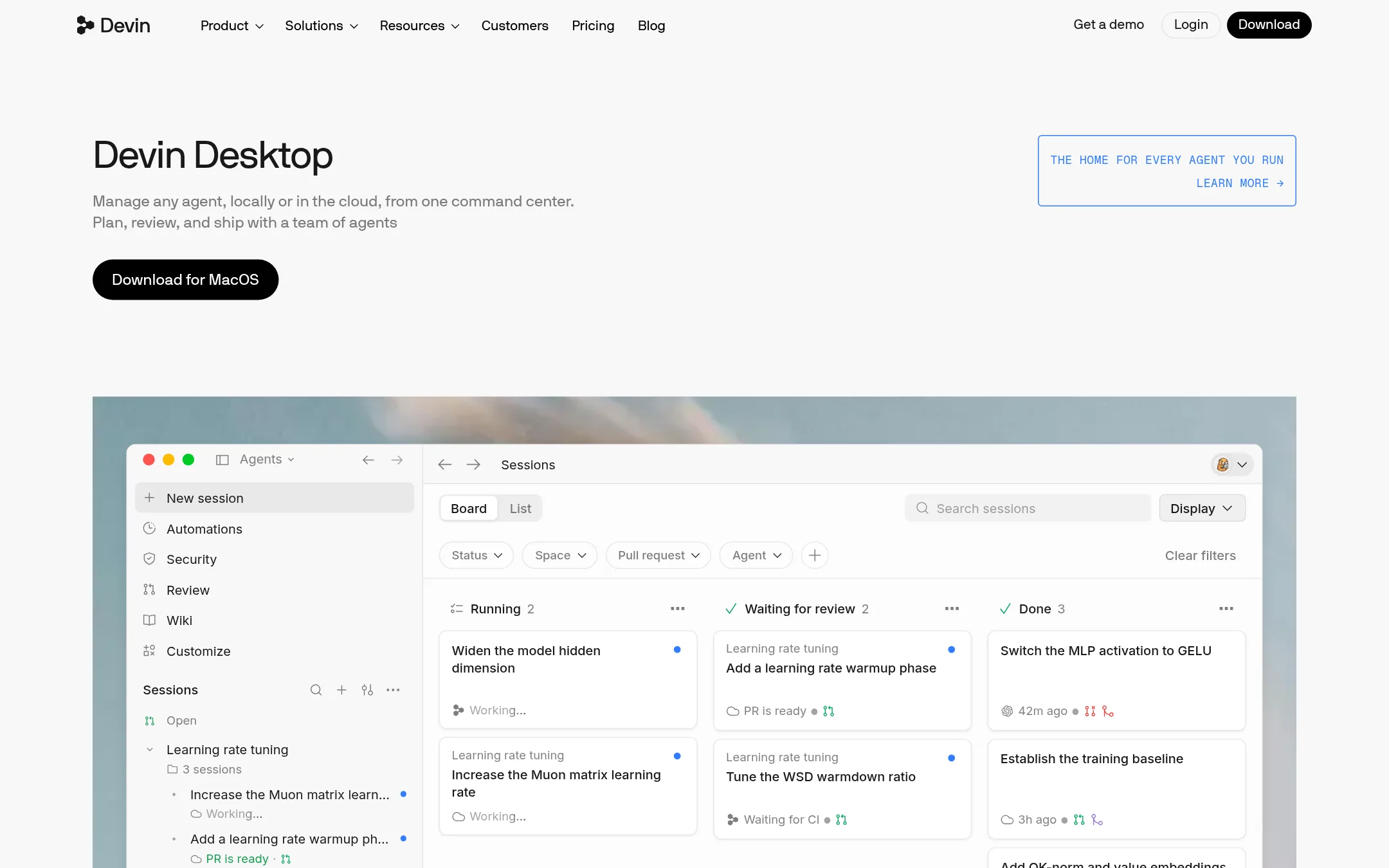
Windsurf is a desktop app that manages multiple AI agents and models in one place, using the Agent Client Protocol. It suits teams that need to coordinate several agents, switch between local and cloud sessions, and review diffs with built-in Devin Review. Choose it over Aider if you want a graphical command center for agent swarms rather than a terminal-based pair programming tool.
Where it is strong
- Manages any agent and frontier model in one place via ACP
- Handoff between local and cloud agents with shared context
- Built-in Devin Review for rapid diff review
Where it falls short
- Free plan has limited model availability and light quota
- Team plan requires per-seat cost on top of base fee
- Pricing:
- Free plan with light quota. Pro at $20/month. Max at $200/month. Teams at $80/month plus $40/month per full dev seat. Enterprise custom.
- Switching from Aider:
- Moving from Aider means adopting a desktop app with a visual interface and agent orchestration, rather than a terminal workflow with Git integration.
- CNot published
5.Continue
Best for: Developers who previously used Continue and are now looking for a maintained alternative with terminal-based pair programming.

- Pricing
- Not published
- Category
- Developer Tools
Continue was an open-source coding agent and IDE extension that let developers build custom AI assistants. It has been acquired by Cursor, so it is no longer a standalone product. Choose Aider if you want an actively maintained terminal-based tool with Git integration and multi-LLM support.
Where it is strong
- Open-source codebase remains freely available
- Pioneered open-source AI developer tooling
- Acquired by Cursor, ensuring continuity
Where it falls short
- No longer a standalone product after acquisition
- No active development or support for new users
- Pricing:
- Pricing is not published on the site.
- Switching from Aider:
- Moving from Continue to Aider involves adopting a terminal-based workflow and configuring your own LLM API connections.
- Not published
6.Tabnine
Best for: Large enterprises that need to test and govern AI-generated code across the SDLC with human-in-the-loop approvals.
- Pricing
- Not published
- Category
- AI & Machine Learning
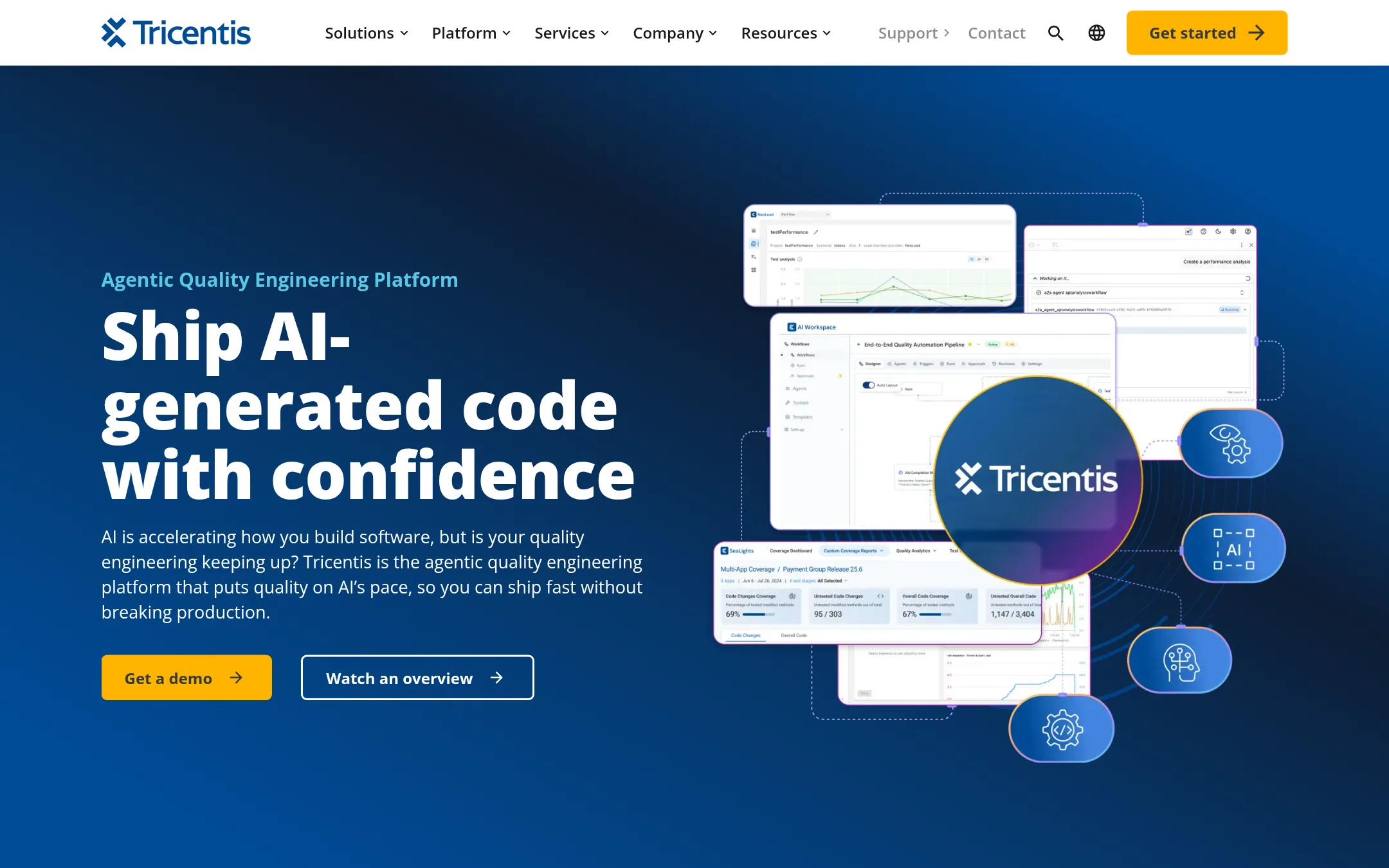
Tabnine is now part of Tricentis and focuses on enterprise-grade quality engineering for AI-generated code. Choose it over Aider when you need governance, approval gates, and automated testing across large, complex environments, rather than a terminal-based pair programming tool.
Where it is strong
- Orchestrates quality agents under one control plane with approval gates and audit trails.
- Automatically converts requirements into test cases and builds end-to-end tests from natural language.
- Covers enterprise technologies like SAP, Oracle, and Salesforce in one flow.
Where it falls short
- No terminal-based pair programming or direct Git integration like Aider.
- Pricing is not published, so it's likely enterprise-only and not accessible to individual developers.
- Pricing:
- Pricing is not published on the site.
See more comparisons in AI & Machine Learning alternatives.
FAQ
Questions about Aider alternatives
What is the main difference between Aider and Cursor?
Aider is a terminal-based tool that you configure yourself, with Git integration and multi-LLM support. Cursor is an IDE-native agent with managed plans, autonomous agents, and enterprise controls. Choose Aider for a lightweight, open-source workflow. Choose Cursor for a visual editor with built-in team features.
Which alternative is best for enterprise teams?
Tabnine, now part of Tricentis, is designed for large enterprises needing governance, approval gates, and automated testing of AI-generated code. It covers enterprise technologies like SAP, Oracle, and Salesforce, but pricing is not published and likely requires a sales conversation.
Are there free options among the alternatives?
Cursor offers a free tier at $0/month, and Windsurf has a free plan with light quota. GitHub Projects is free with a GitHub account, but it is not a coding assistant. Aider itself is open-source and free to use, though you pay for LLM API usage.
Do any alternatives support multiple AI models?
Aider supports almost any LLM, including local models. Cursor works with many models, including Grok and third-party APIs, but third-party usage is billed separately. Windsurf manages any agent and frontier model via the Agent Client Protocol.
Which alternative has the best Git integration?
Aider has automatic commits with sensible messages and works with familiar Git tools. Other alternatives like Cursor and Windsurf do not mention direct Git integration. If Git integration is critical, Aider is the strongest choice.
Last updated November 2, 2026.